

TrackMan
Why is this the best golf simulator?

Play and practise on the best golf courses in the world
The golf simulator offers a wealth of possibilities. Combined with mobile apps, you can track your progress in real time, analyze statistics, and even play in golf tournaments. Various game formats (including Stroke Play, Stableford, and Match Play) and the ability to set weather conditions that you’ll need to adapt to make the game feel incredibly realistic. Want windy conditions, firm greens, and challenging flag placements? No problem at all.
There are over 130 golf courses to choose from, and an average of three new courses are added each month. Among the most famous are St. Andrews Links, Real Club Valderrama, Pebble Beach Golf Links, PGA National, Le Golf National, and Wentworth West Course. And word on the street is that Poland’s first golf course - Kalinowe Pola - will be added this winter. There are various tees to choose from, and for the youngest players, a separate list of courses with junior tees. Also worth noting are the short par-3 courses, which are an excellent option for beginners and provide invaluable approach shot practice for advanced players.
Through various tests, you'll discover your strengths and areas where you could improve
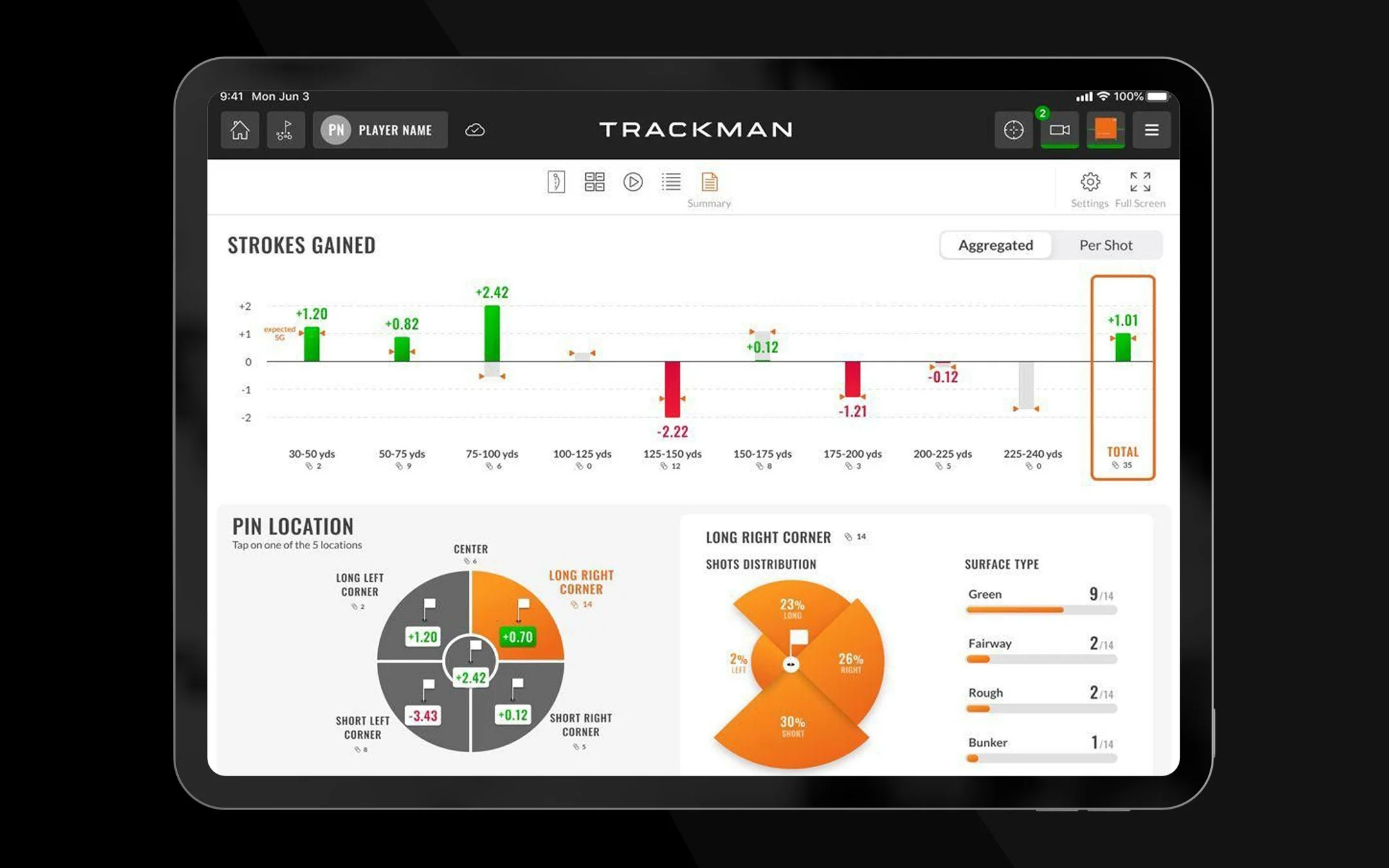
You can evaluate every aspect of your game with remarkable precision. The now-legendary TrackMan Combine consists of 60 shots at various distances (ranging from shots of several dozen meters to a drive), which are scored on a scale of 0-100 points. The rule is simple - the closer you hit the target, the more points you earn. At the end of the test, you’ll receive a full report with your scores, which will tell you what your strongest points are and what still needs improvement. Want some competition? Compare your TrackMan Combine results with players from around the world.
The TrackMan golf simulator also lets you create custom tests. You can set a fixed distance for which you have a specific number of attempts (for example, 10 shots at 100 meters) to try to hit the same target each time. Another option is a test where you’ll hit shots at various distances (e.g., 5 shots at 50 meters, then 5 at 60 meters, and 5 at 70 meters). This way, you can calibrate your wedges for shots that don’t require a full swing. Yet another option is to specify the range of distances you want to practice - for example, you choose between 70 and 130 meters, and the computer will randomly suggest a distance for you to hit. The first shot might be 75 meters, the second 130, and the next 88 meters. You’ll need to adapt to the situation as it unfolds.

By knowing which parameters to improve, you'll optimize the ball's flight
The golf simulator records dozens of parameters at the moment the ball is struck. With remarkable accuracy, you’ll find out the speed of your swing, how fast the ball was launched, how much backspin it had, how high it flew, and finally, the total distance it traveled. Depending on whether you’re currently working on direction or distance, you can display only the metrics that interest you and keep the rest hidden. After your practice session, you can receive a report containing all your recorded shots. This way, you’ll be able to monitor your progress on an ongoing basis, and your golf coach will have additional data to help you improve even faster.
One amazing feature is the Optimizer - a tool that shows the optimal distance for a given club based on your swing speed. You then receive information on which parameters fall outside the optimal range. It’s hard to tell just by looking whether a shot is too high or too low. However, it’s certainly true that professionals hitting a driver need a different backspin rate or maximum height than a player with a 20 handicap. Based on hundreds of thousands of recorded shots, TrackMan has created an algorithm that shows which parameters need improvement to achieve optimal distance. Yes, it’s true! You don’t have to swing faster to hit the ball farther. Swing more efficiently!
Learn more about the various features offered by the golf simulator: